A vibe-coded app that works for you and a few friends has done its job: it proved the idea. Before strangers sign up and pay, check nine things: who can see whose data, where your secret keys live, sign-up and login, how payments are confirmed, backups, speed under real traffic, AI cost per user, app store rules, and whether you own the code and the accounts. Some apps need only a few targeted fixes, while others need the core rebuilt. Each item below comes with a check you can run yourself, and a table at the end helps you tell which case you’re in.
What vibe coding gets right
Lovable, Bolt, Replit and Cursor take you from an idea to a working demo in days. You see what users click before you pay anyone, and the demo doubles as a brief for engineers later. Keep using these tools for prototypes and internal tools.
The trouble is that most of the problems below never show up in a demo. A single test user doesn’t try to read someone else’s records, get charged twice or run up an AI bill. The tool makers say as much. Lovable’s documentation says its security scans can’t guarantee complete security and that you’re responsible for your app’s security (Lovable docs).
If your app is a tool for you and your team, with no payments and no private data, most of this list can wait.
Nine things to check before real users
1. Who can see whose data
Broken access control is number one in the OWASP Top 10, and OWASP found some form of it in every application it tested (OWASP Top 10:2025). That’s true of all software, whoever wrote it.
Many AI builders connect the app straight from the browser to a hosted database. That’s safe only when every table has access rules: Supabase’s docs tell you to turn on row-level security for every table the app can reach (Supabase docs). In 2025, a public vulnerability record described Lovable-built sites where weak rules let anyone read or write database tables (CVE-2025-48757). Lovable now scans for missing rules before you publish.
To check it yourself, make two test accounts. As user A, open one of A’s records and copy the link. Log in as user B and open that link, or change the record number in the address bar. If B can see A’s data, fix that before anything else.
2. Secret keys in the code
Some keys are meant to be public, such as a Stripe publishable key. Secret keys aren’t, and any key inside the code your site sends to the browser can be read by anyone who looks. Supabase’s docs say never to use a secret key in the browser. AI tools sometimes paste a key straight into the code to get a feature working.
To check, open your live app in Chrome, open the developer tools, press Ctrl+Shift+F (Cmd+Option+F on a Mac) and search every loaded file for “secret”, “sk_” and “key”. If a secret key shows up, move it to the server and replace it, along with any key that ever sat in your code history. OWASP’s Secrets Management Cheat Sheet covers the details.
3. Sign-up and login
Reset your password from a fresh browser. Check that emails get verified, and that 20 wrong passwords in a row get the login slowed down or blocked. If the app goes to the App Store, Apple requires a way to delete the account inside the app. If you offer sign-in with Google or Facebook, Apple also asks for another login option that meets its privacy rules, such as Sign in with Apple (guidelines 5.1.1(v) and 4.8).
4. Payments, refunds and renewals
A thank-you page after checkout doesn’t prove anyone paid. The payment provider tells your server through webhooks. Stripe’s docs warn that the same event can arrive more than once, that events can arrive out of order, and that an endpoint which doesn’t verify signatures can be fed fake events that grant access or mark orders as paid (Stripe docs).
In Stripe’s test mode, pay, refund, cancel a subscription, and let a renewal fail with one of Stripe’s test cards. After each step, did the user’s access change the way it should? Before IPOPBOOKS launched, we ran a live card payment and a refund in production (IPOPBOOKS case study).
5. Backups and changes to your data
Are backups switched on, and have you ever restored one? Are your test data and live data separate, so a prompt or a test run can’t touch real customers’ records? In a demo, it doesn’t matter if a prompt reshapes the database. With real users, every change to how data is stored, such as a new field or a renamed table, has to carry their existing records along.
6. Speed with real traffic
An app that’s quick with 10 records can crawl with 100,000. The usual causes are screens that load every record at once, missing database indexes, full-size images, and no limit on how often one person can call your server.
A quick test: fill a copy of the app with a few thousand fake records, then time the main screens on a phone over mobile data.
7. AI cost per user
Every AI request costs money, and one heavy user or a bot can run up the bill. OWASP lists this among the top risks for AI apps and calls it “denial of wallet”. Its advice is rate limits and per-user quotas (OWASP).
Find what one typical request costs, multiply by the requests a user makes in a day, and compare that with what the user pays you. Then confirm the code caps each user’s daily requests.
Costs can also be designed down. GhostMinutes runs its speech models on GPU servers that start only when a file comes in and stop when the job is done (GhostMinutes case study). For EasySpk, we chose the AI setup for speed and price per request, and processing went from up to 3 seconds to up to 1 (EasySpk case study). Our guide on what an AI app costs to run goes deeper.
8. App Store and Google Play review
Apple’s guidelines say an app should offer more than a repackaged website (4.2), reviewers need a working demo account and no placeholder content (2.1), you need a privacy policy link in App Store Connect and in the app (5.1.1(i)), and paid features unlocked inside the app generally go through in-app purchase (3.1.1) (Apple App Review Guidelines). Google Play adds a step for personal developer accounts created after November 13, 2023: a closed test with at least 12 testers who stay opted in for 14 days in a row (Play Console Help).
New Apple developer and payment accounts also take time to approve. EasySpk and GhostMinutes launched on our Apple developer and Stripe accounts, so the founders didn’t have to wait for their own.
9. Code others can work on, and accounts you own
Ask a developer to spend an hour in the code. Can they tell how data is stored? Is the same logic copied in five places? Are there tests for sign-up and payment? Do you get an alert when the app throws errors? If most answers are no, every future change gets slower and riskier.
Then check ownership. The code should sit in a repository under your company’s account, and Lovable, for one, can sync to GitHub. The domain, the Apple and Google developer accounts, Stripe, the database and the AI provider should all be in your company’s name, with at least two people able to log in. Investors will ask. Our IP checklist for startup founders covers the rest.
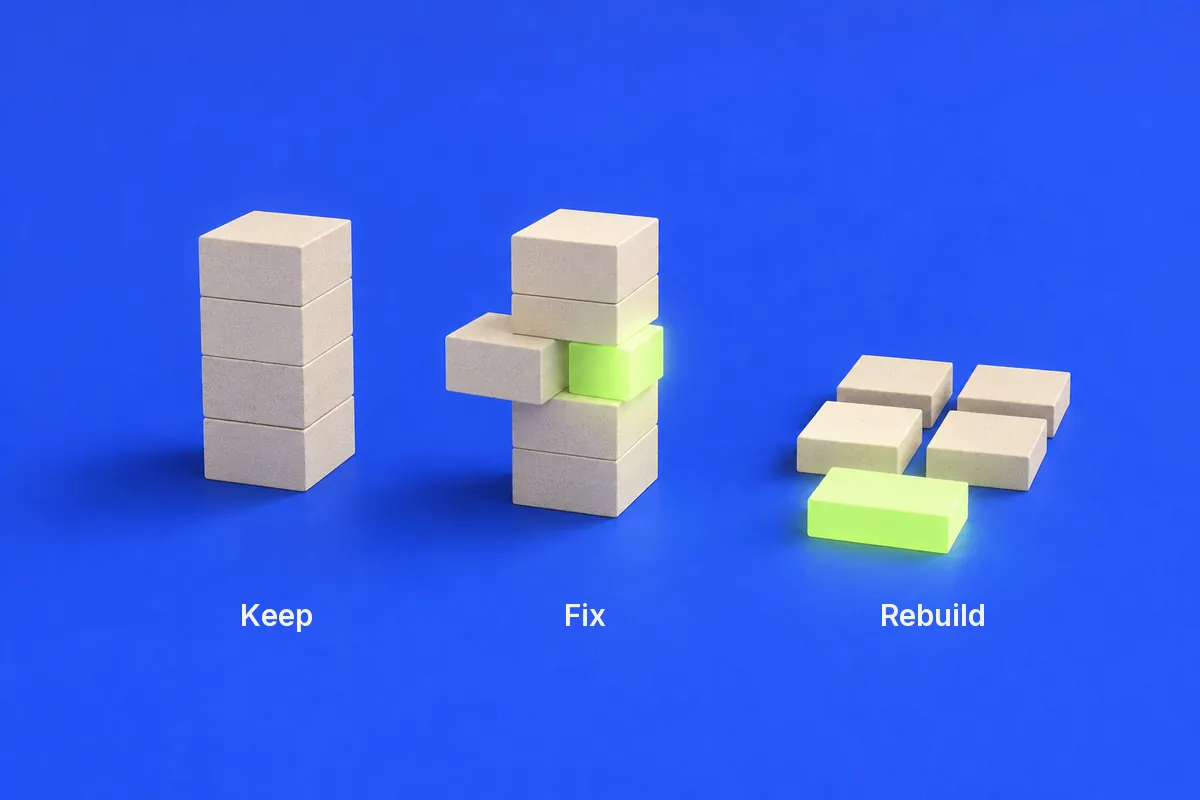
Keep, fix or rebuild
What you see
Verdict
What happens next
An internal tool with no payments and no private data
Keep
Fix the data access rules and move on
Items 1-4 fail, but a developer can follow the code and the data makes sense
Fix
Targeted fixes, then launch
Each fix breaks something else, nobody can explain how data is stored, logic is copied everywhere
Rebuild the core
Keep the screens as the brief; rebuild sign-up, data and payments
It must be a real mobile app, run inside other apps or run your own AI models
The bill depends on how many items fail, so a code review comes first and puts a number of hours on the work. Our public rates let you do the math from there:
One engineer for one week (40 hours) at $39 to $55 an hour costs $1,560 to $2,200.
A small team’s 1-week sprint (about 80 hours) costs roughly $3,000 to $4,500.
A rebuild of the core is priced like an MVP: $5,000 to $15,000, in 2 to 4 weeks. See how our MVP development works week by week.
To keep an experienced eye on things afterwards, a fractional CTO costs 10, 20 or 40 hours a month, from $390 to $2,200.
Who to bring in
A freelancer from a marketplace costs the least per hour and suits one clear fix, such as adding access rules. You check the work yourself.
An agency gives you one team that reviews, fixes, tests and launches. It costs more per week, which pays off when several items fail or you need an App Store launch soon.
A fractional CTO owns the technical decisions part-time and checks whoever writes the code.
Whoever you pick, ask three things. Have you shipped an app with payments to the App Store? Will you start with a written review? Will the code land in my repository every day?
How we take over code someone else wrote
The four projects below were written by other development teams, not by AI tools. The job is the same, though: read code you didn’t write, decide what stays, make it safe and ship.
Humm.ly, where we fixed and kept going: the front-end developers left suddenly. We took over web and mobile, tested and updated the backend and cleared old technical debt. The app holds a 4.9 App Store score (Humm.ly case study).
LIVETAG, another fix: the founder wasn’t happy with another team’s code, so the project came back to us. We refactored web, iOS and Android and built a shoppable video widget with a cart and payment inside the stream (LIVETAG case study).
YOU(th), a rebuild: a previous team missed the mark, so we rebuilt the AI wellness app from scratch. It runs a phone-only check of 50+ biomarkers in under 2 minutes (YOU(th) case study).
LEV, a fresh start: the client had spent $200k with another team and had nothing to show for it. We built a new app, shipped the first MVP a month in, and it reached 2,600+ users and 15+ partners (LEV case study).
FAQ
Is a vibe-coded app safe to launch?
It can be, after a check. The usual gaps are data access rules, secret keys in the code, unconfirmed payments and missing backups. Test each one, or have an engineer do it, before strangers sign up or pay. For an internal tool with no private data, the bar is lower.
Can I publish a vibe-coded app on the App Store?
Yes, if it meets Apple’s rules like any other app. It must offer more than a repackaged website, give reviewers a working demo account, link a privacy policy and let users delete their account in the app. Paid features unlocked in the app generally use Apple’s in-app purchase.
How much does it cost to make a vibe-coded app production-ready?
It depends on how many items fail, so start with a code review. At $39 to $55 an hour, one engineer-week of fixes costs $1,560 to $2,200. If the core needs rebuilding, plan it like an MVP: $5,000 to $15,000 and 2 to 4 weeks with us.
Should I rebuild my vibe-coded app from scratch?
Usually not all of it. If a developer can follow the code and the data makes sense, fix the gaps. Rebuild the core when every fix breaks something else, or when the product has to be a real mobile app or run its own AI models. Keep the screens and flows as the brief.
Can I keep using Lovable after developers join?
Often, yes. Lovable keeps a two-way sync with a GitHub repository, so developers’ commits show up in Lovable and your prompts show up in the code. Agree on who changes what, so a prompt doesn’t undo an engineer’s fix.
Who should I hire to fix a vibe-coded app?
A freelancer can handle one clear fix. For several failing items or an App Store launch, an agency covers the review, the fixes and the launch with one team. A fractional CTO helps when you want one experienced person to own the decisions and check the work.
Get a second pair of eyes on your app
Send us a link to the app, access to the code and a few lines on what it does. We’ll read the code, test the risky paths from this list and tell you what to keep, fix or rebuild, and how many hours that takes at $39 to $55 an hour.